eBay fee & profit calculator
Model final value, promoted listing, and order costs. Enter your values below for a free estimate, with no account required.
inputs.
Calculator
How to use the eBay fee & profit calculator
Model final value, promoted listing, and order costs. Enter your values below for a free estimate, with no account required.
What this calculator measures
Model contribution on one eBay order using an entered order total, final-value and promoted-listing rates, fixed fee, and combined product and shipping costs.
Inputs and units
The required fields are Order total ($), Final value fee (%), Promoted listing (%), Fixed fee ($), Product + shipping + other cost ($). Each value should describe the same object, sample, transaction, or time period wherever the formula compares them.
- Order total ($): Use the same currency and accounting period as the other money fields in this calculation.
- Final value fee (%): Enter a percentage in the format shown; do not switch between a whole percent and a decimal fraction.
- Promoted listing (%): Enter a percentage in the format shown; do not switch between a whole percent and a decimal fraction.
- Fixed fee ($): Use the same currency and accounting period as the other money fields in this calculation.
- Product + shipping + other cost ($): Use the same currency and accounting period as the other money fields in this calculation.
Formula and method
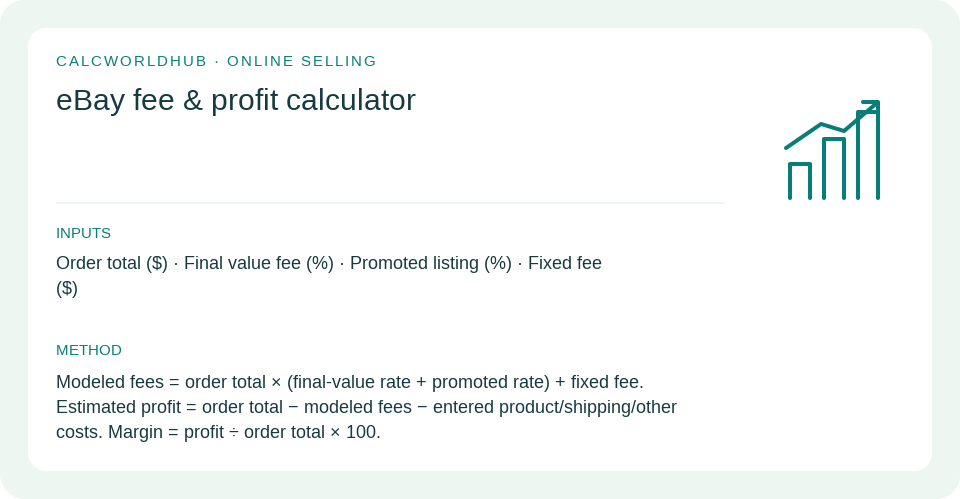
Modeled fees = order total × (final-value rate + promoted rate) + fixed fee. Estimated profit = order total − modeled fees − entered product/shipping/other costs. Margin = profit ÷ order total × 100.
Worked example
For a $40 order total, 13.25% final-value rate, 0% promoted rate, $0.30 fixed fee, and $18 entered costs, modeled fees are $5.60 and estimated profit is $16.40, or 41% of order total.
How to use the calculator
- Read the field labels and select values from the same source and measurement basis.
- Enter Order total ($) and the other required values. Use the units printed on the page and convert mixed units first.
- Review the displayed method, then compare the result with the question you are trying to answer.
- Change one input at a time to see which assumption has the greatest effect on the result.
Interpreting the result
The profit result is what remains after only the entered costs and modeled fees. Confirm the exact fee base and any per-order or listing charges before using it as a pricing decision.
Assumptions and limits
This simplified model applies both entered percentage rates to the full order total and adds one fixed fee. Actual fee bases, per-order charges, category, store, country, ad billing, and taxes can differ. Check eBay’s current selling-fee schedule and enter the rates that match the listing.
Marketplace, payment, fulfillment, and advertising fees change by plan, category, location, and date. Enter current fee assumptions and verify the seller terms before making a pricing decision.
Frequently asked questions
What information do I need?
Enter the order total, final-value fee percentage, promoted-listing percentage, fixed fee, and combined product, shipping, and other costs in one currency.
How should I interpret the result?
The result is an estimate based on the percentages applied to the entire entered order total. eBay fee bases and fee schedules may vary, so reconcile the inputs with the current seller fee page.
Is the eBay fee & profit calculator free to use?
Yes. This calculator is free and works in your browser without an account.
How do I use the eBay fee & profit calculator?
Enter Order total ($), Final value fee (%), Promoted listing (%), Fixed fee ($), then complete the remaining labeled fields. Match the units shown beside each field and review the result together with the assumptions below.
What is a worked example of eBay fee & profit?
For a $40 order total, 13.25% final-value rate, 0% promoted rate, $0.30 fixed fee, and $18 entered costs, modeled fees are $5.60 and estimated profit is $16.40, or 41% of order total.
Read the calculation methodology and privacy policy.
Good calculators show their work.
CalcWorldHub is built around clear inputs and visible assumptions. Results are estimates for planning; check official sources or your provider’s terms when exact figures matter.