How to use this calculator
Estimate how many rectangular labels fit on a sheet after margins and gaps, testing both orientations.
- Enter Sheet width (mm), Sheet height (mm), Label width (mm), Label height (mm), then complete the remaining labeled fields. Match the units shown beside each field and review the result together with the assumptions below.
- Read the worked example below to check the expected input format and result.
- Compare another scenario by changing one input at a time. Use Reset to return to the starting values.
How this calculation works
A sheet layout is a two-dimensional packing estimate for identical rectangular labels aligned in rows and columns. This tool checks the entered orientation and a 90-degree rotation, then reports the larger complete grid; it does not nest or stagger labels.
Inputs and units
sheetW— Sheet width (mm)- Measure the printable sheet width, not a roll dimension.
sheetH— Sheet height (mm)- Measure the printable sheet height.
labelW— Label width (mm)- Enter the label's shorter or longer side; both orientations are tested.
labelH— Label height (mm)- Enter the other label side.
margin— Uniform edge margin (mm)- Leave this distance between the label grid and each sheet edge.
gapX— Horizontal label gap (mm)- Space between adjacent labels across a row.
gapY— Vertical label gap (mm)- Space between adjacent label rows.
Formula
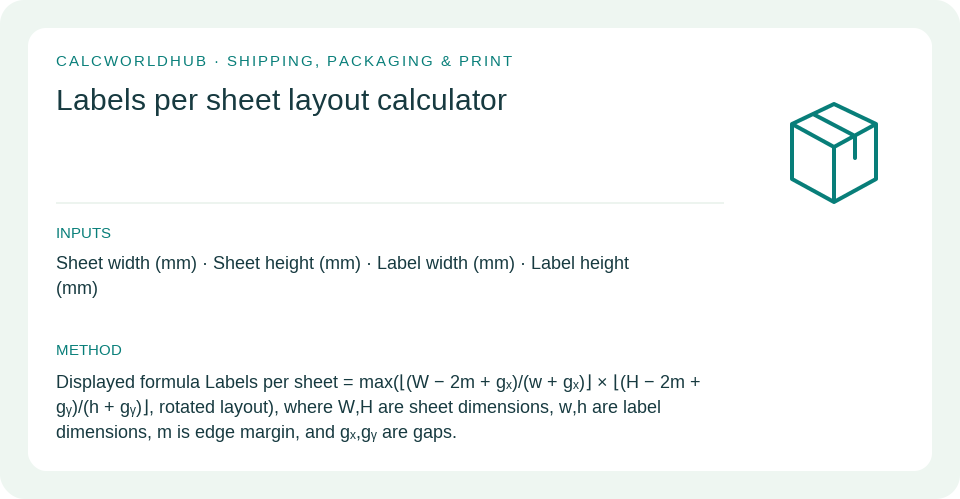
Labels per sheet = max(⌊(W − 2m + gₓ)/(w + gₓ)⌋ × ⌊(H − 2m + gᵧ)/(h + gᵧ)⌋, rotated layout), where W,H are sheet dimensions, w,h are label dimensions, m is edge margin, and gₓ,gᵧ are gaps.
Method
Enter sheet and label dimensions in millimetres, one edge margin, and horizontal and vertical spacing between labels. The estimator uses whole rows and columns and compares normal and rotated label orientations.
Worked example
On a 320 × 450 mm sheet, 70 × 90 mm labels, 5 mm edge margins, and 3 mm gaps fit 16 in the normal orientation and 18 rotated, so the estimate is 18 per sheet.
Assumptions and limits
The estimate assumes rectangular labels, uniform margins and gaps, and no staggered nesting. Printer gripper zones, bleed, trim tolerance, and die-line constraints may reduce the usable count.
Frequently asked questions
Why does the calculator test a rotated layout?
Turning every label by 90 degrees can create a different whole-row and whole-column count on the same sheet.
Does the count include bleed or printer margins?
No. Enter only the usable sheet and spacing assumptions; add any non-printable zones to the edge margin before estimating.
Can labels be staggered or nested?
No. The result assumes aligned rectangular rows and columns. Irregular shapes or nesting can change the production yield.
How do I use the Labels per sheet layout calculator?
Enter Sheet width (mm), Sheet height (mm), Label width (mm), Label height (mm), then complete the remaining labeled fields. Match the units shown beside each field and review the result together with the assumptions below.
What is a worked example of Labels per sheet layout?
On a 320 × 450 mm sheet, 70 × 90 mm labels, 5 mm edge margins, and 3 mm gaps fit 16 in the normal orientation and 18 rotated, so the estimate is 18 per sheet.
Read our calculation methodology.