How to use this calculator
Estimate dense-model training FLOPs and idealized GPU runtime from parameter count, token count, and sustained accelerator throughput.
- Enter Model parameters (billions), Training tokens (billions), FLOPs per parameter-token, Accelerator count, then complete the remaining labeled fields. Match the units shown beside each field and review the result together with the assumptions below.
- Read the worked example below to check the expected input format and result.
- Compare another scenario by changing one input at a time. Use Reset to return to the starting values.
How this calculation works
A rough compute budget is useful before a training run is scheduled, but parameter and token counts alone do not determine wall-clock time. This estimator exposes the FLOP multiplier and sustained device throughput as inputs so you can replace the common dense-transformer approximation with assumptions that better match your model and hardware.
Inputs and units
parametersB— Model parameters (billions)- Parameter count in billions.
trainingTokensB— Training tokens (billions)- Total tokens processed during training, including repeated epochs if applicable.
flopsPerParameterToken— FLOPs per parameter-token- Use 6 as a rough dense-transformer estimate, or enter a multiplier suited to the model and accounting convention.
gpuCount— Accelerator count- Number of GPUs or equivalent accelerators contributing compute.
sustainedTflopsPerGpu— Sustained throughput per accelerator (TFLOP/s)- Effective measured throughput per accelerator for the intended model, precision, and workload; do not substitute a theoretical peak unless adjusted.
Formula
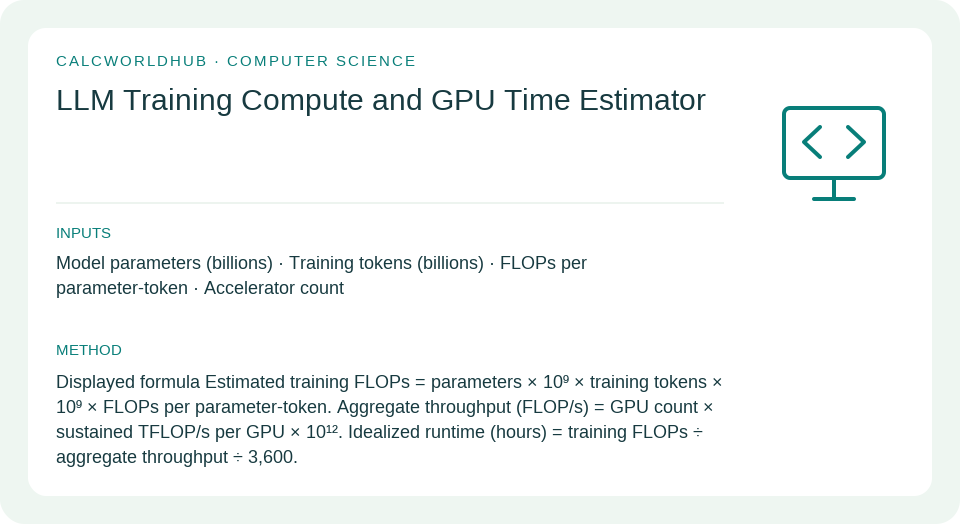
Estimated training FLOPs = parameters × 10⁹ × training tokens × 10⁹ × FLOPs per parameter-token. Aggregate throughput (FLOP/s) = GPU count × sustained TFLOP/s per GPU × 10¹². Idealized runtime (hours) = training FLOPs ÷ aggregate throughput ÷ 3,600.
Method
The default multiplier of 6 is a rough dense-transformer forward-and-backward estimate based on the GPT-3 paper’s approximate FLOPs-per-parameter-token accounting. The runtime divides that compute estimate by the aggregate sustained throughput you enter; use measured throughput for the relevant precision and workload where available.
Worked example
For a 7-billion-parameter model trained on 140 billion tokens at 6 FLOPs per parameter-token, the estimate is 5.88 × 10²¹ FLOPs. Eight accelerators sustaining 300 TFLOP/s each provide 2.4 PFLOP/s, giving about 680.56 idealized hours, or 28.36 days.
Assumptions and limits
This estimate excludes optimizer details not represented in the chosen multiplier, data loading, checkpointing, evaluation, communication stalls, restarts, padding, sequence packing, sparsity, and pipeline or tensor-parallel inefficiency. It is not a performance prediction; realized time can be materially longer.
Frequently asked questions
Why is six FLOPs per parameter-token used?
It is a common rough estimate for dense-transformer forward and backward computation, not a universal multiplier for every architecture.
Should throughput be peak or sustained?
Use effective sustained throughput measured on a similar workload when possible. Theoretical peak throughput usually overstates achieved training speed.
Does the result include all training time?
No. It is compute time only under the entered throughput and excludes data, communication, checkpointing, evaluation, and interruptions.
Can I use this for sparse or mixture-of-experts models?
Only if the FLOP multiplier represents active computation for the chosen model and your accounting method.
How do I use the LLM Training Compute and GPU Time Estimator?
Enter Model parameters (billions), Training tokens (billions), FLOPs per parameter-token, Accelerator count, then complete the remaining labeled fields. Match the units shown beside each field and review the result together with the assumptions below.
Reference: Brown et al., Language Models are Few-Shot Learners (GPT-3), Appendix D compute accounting. See our calculation methodology.