Remaining debt-to-income room calculator
Estimate monthly room before reaching a 36% total DTI threshold. Enter your values below for a free estimate, with no account required.
inputs.
Calculator
How to use the Remaining debt-to-income room calculator
Estimate monthly room before reaching a 36% total DTI threshold. Enter your values below for a free estimate, with no account required.
What this calculator measures
Estimate remaining monthly debt-payment room under an illustrative 36% gross-income threshold, after the housing payment and other monthly debt payments.
Inputs and units
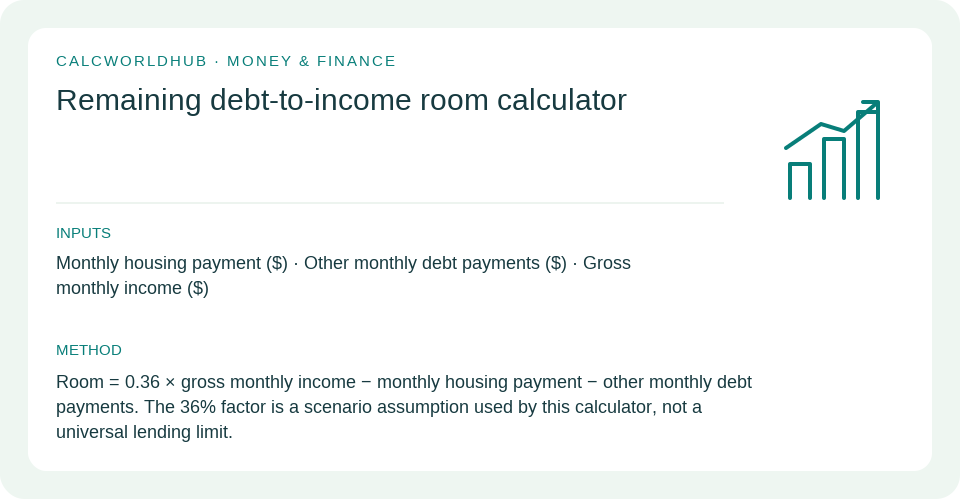
The required fields are Monthly housing payment ($), Other monthly debt payments ($), Gross monthly income ($). Each value should describe the same object, sample, transaction, or time period wherever the formula compares them.
- Monthly housing payment ($): Use the same currency and accounting period as the other money fields in this calculation.
- Other monthly debt payments ($): Use the same currency and accounting period as the other money fields in this calculation.
- Gross monthly income ($): Use the same currency and accounting period as the other money fields in this calculation.
Formula and method
Room = 0.36 × gross monthly income − monthly housing payment − other monthly debt payments. The 36% factor is a scenario assumption used by this calculator, not a universal lending limit.
Worked example
For $6,000 gross monthly income, a $1,400 housing payment and $450 in other monthly debts, room = 0.36 × $6,000 − $1,400 − $450 = $310 per month.
How to use the calculator
- Read the field labels and select values from the same source and measurement basis.
- Enter Monthly housing payment ($) and the other required values. Use the units printed on the page and convert mixed units first.
- Review the displayed method, then compare the result with the question you are trying to answer.
- Change one input at a time to see which assumption has the greatest effect on the result.
Interpreting the result
A positive result is headroom within this chosen 36% scenario. A negative result means the entered payments exceed that scenario threshold; it is not a credit decision, approval amount, or lender quote.
Assumptions and limits
All three amounts use the same currency and monthly basis. The model treats housing and other debt payments as components of total DTI; it does not include lender-specific definitions, taxes, insurance, or other obligations unless included in the entered housing amount. CFPB notes that DTI limits differ by product and lender: CFPB: what is a DTI ratio?
Match the rate, compounding frequency, currency, and time period. Taxes, fees, inflation, and contract-specific terms affect a real decision only when they are included in the inputs or method.
Frequently asked questions
What information do I need?
Use gross monthly income before deductions, the monthly housing payment, and all other monthly debt payments in the same currency.
How should I interpret the result?
The result compares entered debt payments with 36% of gross monthly income. Lenders and loan programs can use different limits and expense definitions, so treat this as a scenario comparison.
Is the Remaining debt-to-income room calculator free to use?
Yes. This calculator is free and works in your browser without an account.
How do I use the Remaining debt-to-income room calculator?
Enter Monthly housing payment ($), Other monthly debt payments ($), Gross monthly income ($). Match the units shown beside each field and review the result together with the assumptions below.
What is a worked example of Remaining debt-to-income room?
For $6,000 gross monthly income, a $1,400 housing payment and $450 in other monthly debts, room = 0.36 × $6,000 − $1,400 − $450 = $310 per month.
Read the calculation methodology and privacy policy.
Good calculators show their work.
CalcWorldHub is built around clear inputs and visible assumptions. Results are estimates for planning; check official sources or your provider’s terms when exact figures matter.