
Start with the transport activity
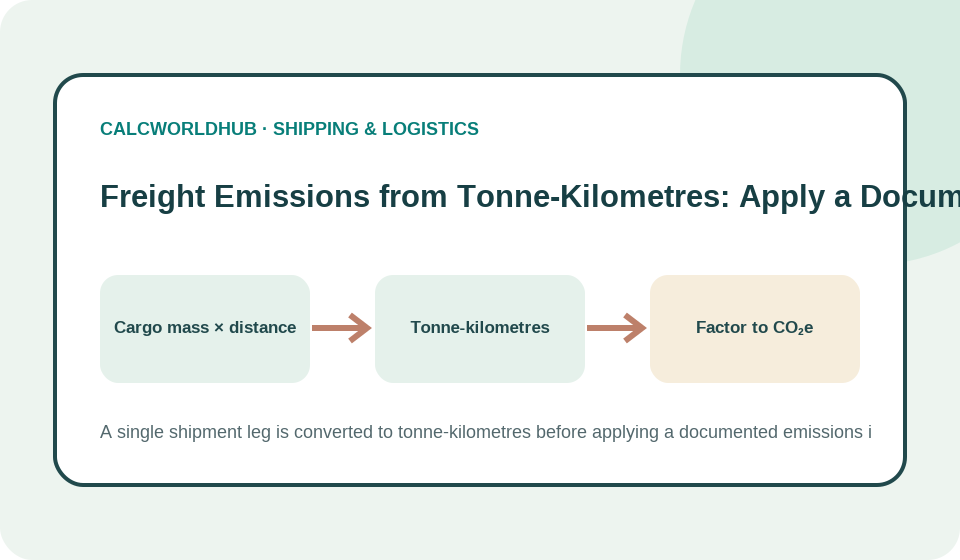
A tonne-kilometre combines cargo mass with the distance over which that mass is transported. One metric tonne moved one kilometre is one tonne-kilometre. For a single leg with a consistent load, activity is mass in tonnes multiplied by distance in kilometres. This activity measure is useful because it links how much freight moved with how far it travelled, but it is not itself an emissions result.
Apply the factor and convert units
First calculate tonne-kilometres: mass × distance. Then multiply that activity by the supplied grams CO₂e per tonne-kilometre. The product is grams CO₂e, so divide by 1,000 to display kilograms. Divide kilograms by another 1,000 to express metric tonnes. Dimensional analysis is a simple safeguard: t × km × g CO₂e/(t × km) leaves grams CO₂e.
The tool displays transport activity to two decimal places, estimated kilograms to two decimals, and estimated tonnes to four decimals. Those display rules do not change the underlying multiplication. If a report needs more precision or a different unit, retain the unrounded activity and emissions values and convert from those rather than multiplying a rounded display.
Choose a factor that matches the shipment
The factor is user supplied. Its source, year, geography, vehicle type, fuel, load assumptions, and well-to-tank or tank-to-wheel boundary can materially affect the result. Smart Freight Centre's GLEC Framework describes harmonized logistics emissions methods and activity-factor approaches; the GHG Protocol's Scope 3 guidance also discusses transport calculation methods. Those sources are useful context for choosing and documenting a factor, but entering a single factor does not make this simple calculator a GLEC- or ISO-compliant inventory.
Write down exactly where the factor came from and what it includes. Do not combine a factor already expressed per shipment or per tonne with tonne-kilometres as if its denominator were t·km. If the source reports kilograms per tonne-kilometre, convert it to grams by multiplying by 1,000 before entering it. A unit mismatch can produce a result off by orders of magnitude even when the arithmetic is correct.
Keep the calculation boundary visible
This calculator estimates one activity-factor result for a leg. It does not model empty running, terminal handling, hubs, refrigerated energy, multiple vehicle legs, packaging, vehicle occupancy, or upstream fuel production as separate inputs. Such effects belong only if they are already represented in the chosen factor. Avoid describing the output as the full footprint of an order or supply chain unless a wider method has actually included those activities.
For multimodal freight, calculate each leg with a factor suited to that mode and boundary, then combine the leg results consistently. Keep transshipment or warehousing stages separate when the chosen reporting method requires them. Do not sum activity in different units without converting or explaining the basis; tonne-kilometres are not interchangeable with vehicle-kilometres, container moves, or parcel counts.
Compare scenarios without overstating precision
A scenario comparison is strongest when the factor and boundary stay fixed and only a clearly stated activity input changes. If mass, distance, and intensity all differ, the emissions difference cannot be attributed to just one operational change. Keep the underlying inputs alongside each result, and note whether the route distance is measured, mapped, or estimated.
Interpret the result within its boundary
Use the output as a single-leg estimate and label the unit and factor source whenever sharing it. Two values are not comparable merely because both are called freight emissions: one may include upstream fuel, another may cover direct vehicle emissions, and a third may allocate a multimodal network across shipments. State those differences rather than implying the calculator reconciles them.
Worked examples
Both examples keep the factor unit in grams per tonne-kilometre and convert the resulting grams to kilograms.
A 12 tonne shipment over 480 kilometres
Inputs: Cargo mass = 12 t; leg distance = 480 km; factor = 82 g CO₂e/t·km.
Calculation: Activity = 12 t × 480 km = 5,760 t·km; emissions = 5,760 × 82 ÷ 1,000 = 472.32 kg CO₂e = 0.47232 t CO₂e (displayed 0.4723 t).
The entered single-leg activity is 5,760 tonne-kilometres and the estimate is 472.32 kg CO₂e.
A lighter shipment on a shorter leg
Inputs: Cargo mass = 4.5 t; leg distance = 220 km; factor = 125 g CO₂e/t·km.
Calculation: Activity = 4.5 t × 220 km = 990 t·km; emissions = 990 × 125 ÷ 1,000 = 123.75 kg CO₂e = 0.12375 t CO₂e (displayed 0.1238 t).
The output is 123.75 kg CO₂e for the stated factor and leg boundary; it is not a full logistics inventory.
