Email bounce rate calculator
Measure bounced messages as a share of messages sent in the same email campaign or reporting period.
inputs.
How to use this calculator
Measure bounced messages as a share of messages sent in the same email campaign or reporting period.
- Enter Bounced messages, Messages sent. Match the units shown beside each field and review the result together with the assumptions below.
- Read the worked example below to check the expected input format and result.
- Compare another scenario by changing one input at a time. Use Reset to return to the starting values.
How the Email bounce rate calculator works
Measure bounced messages as a share of messages sent in the same email campaign or reporting period.
Inputs and units
- Bounced messages: Messages classified as bounced under the email platform’s reporting rule.
- Messages sent: Messages sent in the same campaign and reporting window.
Formula and method
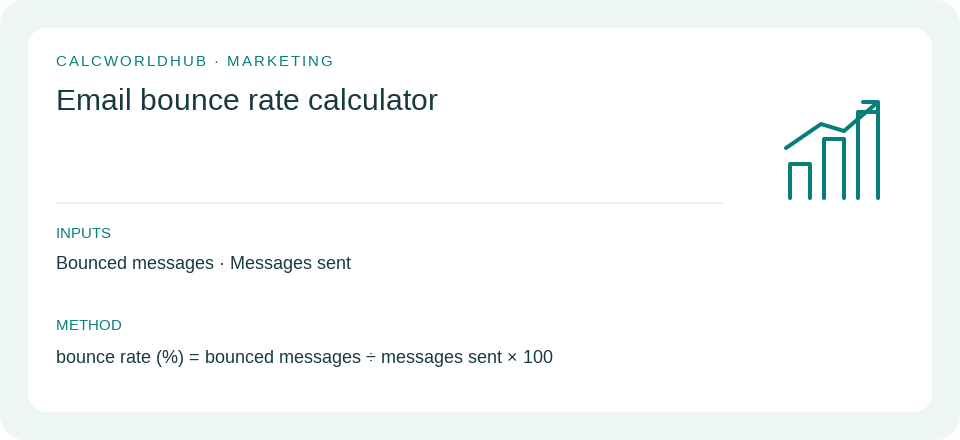
bounce rate (%) = bounced messages ÷ messages sent × 100
Worked example
160 bounces ÷ 8,200 sent × 100 ≈ 1.95%.
Interpreting the result
A bounce rate summarizes delivery failures under the sender platform's counting rules. It does not distinguish hard from soft bounces unless those counts are separated first.
Assumptions and limits
Use the platform's matching definition for sent messages and bounces. Do not combine different campaigns or count retries inconsistently; email providers may classify events differently.
Frequently asked questions
Should I include hard and soft bounces?
Use the definition appropriate to the report, and keep the categories consistent; platforms may report them separately.
Why must sent messages be greater than zero?
The sent count is the denominator; a rate cannot be calculated when no messages were sent.
How do I use the Email bounce rate calculator?
Enter Bounced messages, Messages sent. Match the units shown beside each field and review the result together with the assumptions below.
What is a worked example of Email bounce rate?
160 bounces ÷ 8,200 sent × 100 ≈ 1.95%.
What does the Email bounce rate calculator calculate?
Measure bounced messages as a share of messages sent in the same email campaign or reporting period.
See the calculation methodology.