
Plan encoded size from the source bytes
A file’s byte size and its Base64 character count measure different things. The source is a sequence of 8-bit octets; Base64 maps groups of those bits to characters from a 64-symbol alphabet. An encoded string is not compression: it expands the data so a text channel can carry it. Start from the exact byte length of the payload, not the number of visible characters in a filename or document.
Start with byte count, not characters
Enter a nonnegative whole number of source bytes. One byte is eight bits, but the field expects bytes rather than bits, kilobytes, or a character count. If an application reports a size in KiB or MiB, convert it to bytes using the convention that system uses before calculating. Text encodings such as UTF-8 can use different numbers of bytes per character, so character count is not a safe substitute.
Group input into three-byte quanta
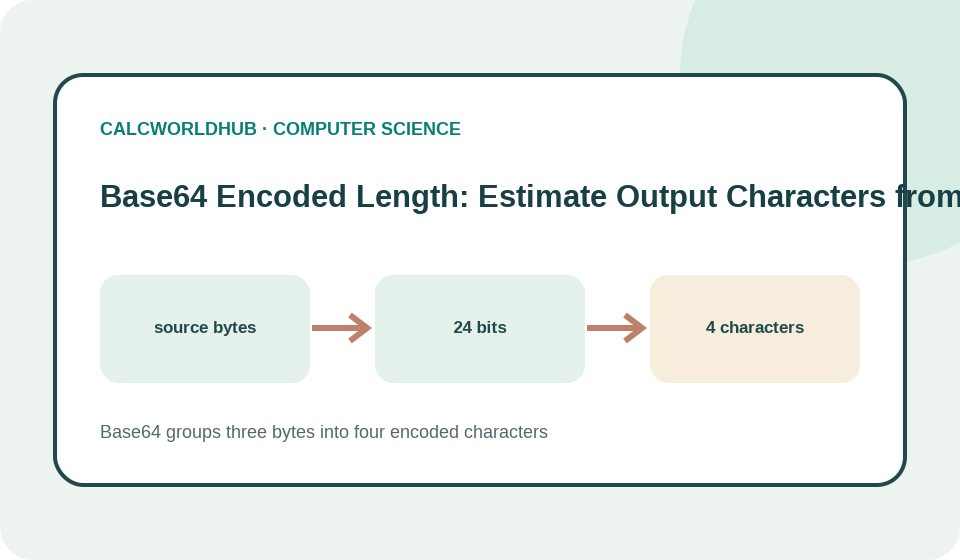
RFC 4648 encodes each 24-bit block—three input octets—as four Base64 characters. The character count is therefore 4 × ceil(bytes/3). The ceiling matters because a final partial group still occupies one full four-character output quantum. For a payload divisible by three, there is no partial group; otherwise padding marks the unused positions in the final quantum.
Account for final padding
Padding is part of standard Base64 output length. A final group with one or two source bytes receives the required “=” characters, so even a very small payload occupies a four-character block. Some protocols use unpadded Base64url, but that is a different presentation rule. Do not remove padding from a budget unless the target format explicitly allows it.
Use the estimate in a transport budget
Use the estimated length when checking a field limit, database column, message body, or API request budget, then leave room for wrappers and surrounding metadata. JSON quotes, data-URL prefixes, MIME headers, line breaks, and other envelope text are not source bytes and are not included by this calculation. Measure the final serialized request when a hard limit is close.
When comparing a raw binary upload with a Base64-in-JSON request, account for both the encoding expansion and the JSON envelope. The expansion is predictable from bytes, while key names, quotes, commas, and any data-URL marker depend on the application. For strict limits, serialize a representative request and count its actual encoded bytes rather than relying on the payload estimate alone.
The character count also helps explain why Base64 is often a poor choice when the receiving interface accepts binary data directly. Its value is portability through text-only paths, not smaller storage. Before changing an API payload format, compare the complete serialized request and check the server’s documented limit; some limits count bytes after escaping or apply to the full body rather than just the encoded value.
Worked examples
The standard padded output is counted in four-character blocks, including the last partial input block.
A one-thousand-byte payload
Inputs: Source size = 1,000 bytes.
Calculation: Encoded characters = 4 × ceil(1,000 ÷ 3) = 4 × 334 = 1,336 characters.
Standard padded Base64 uses 1,336 characters before any line wrapping or envelope text.
A one-byte payload
Inputs: Source size = 1 byte.
Calculation: Encoded characters = 4 × ceil(1 ÷ 3) = 4 × 1 = 4 characters, including two padding characters.
Even one source byte occupies one full Base64 output quantum.

Where this length model stops
The calculation is deterministic for a byte count and a specified Base64 convention. It does not encode the content, inspect the alphabet, or predict compression that might happen before encoding. If the payload is compressed first, use the compressed byte length. If it is encrypted, include any nonce, tag, or header bytes that are actually part of the input.
Standard Base64 line wrapping is excluded here. Some older mail formats insert line breaks after fixed columns, and transport layers may add a prefix or escape characters. Base64url also substitutes two characters and can omit padding. Those variants can alter the literal string or its envelope even when the core encoded quantum count is similar, so match the target protocol.