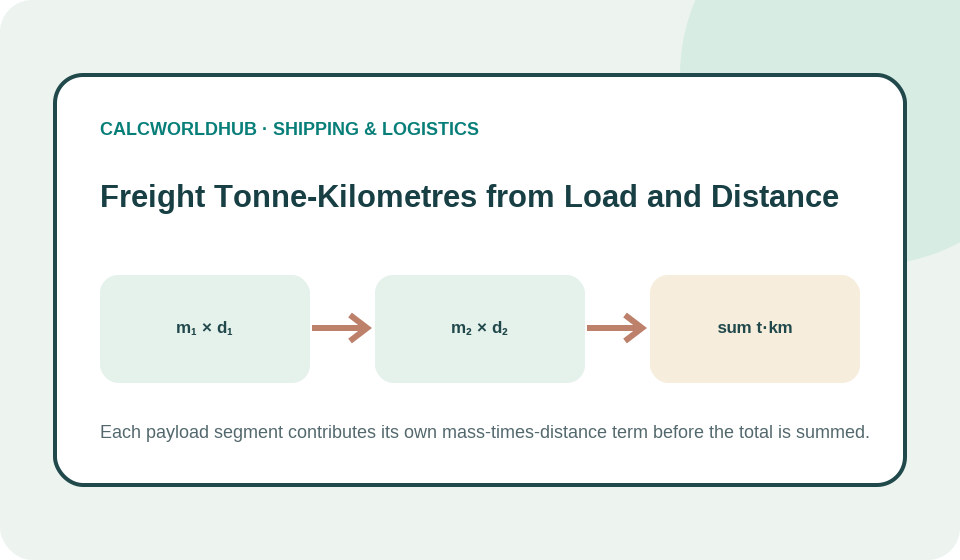

Multiply payload by distance on each leg
For a route with n legs, activity = Σ(mᵢ × dᵢ), where mᵢ is freight mass in metric tonnes carried on leg i and dᵢ is that leg’s distance in kilometres. Each product is tonne-kilometres (t·km); summing the products produces the route total. Match list positions so each mass belongs to the distance of the same leg.
The calculator accepts two equally long lists of nonnegative masses and distances. It returns total freight transport work and the sum of the listed distances. It excludes the vehicle’s own mass. There are no fields for vehicle type, fuel, emissions factor, empty-return leg, or load factor, so those effects are outside its activity total.
Describe the route and payload boundary
A leg is a segment over which the carried freight mass is treated as constant. If a vehicle delivers part of its load or collects more cargo, split the route at that change and enter a separate mass for each segment. The calculator’s paired lists support this approach, provided both lists have the same number of entries and use the same order.
Use metric tonnes for mass and kilometres for distance. One tonne-kilometre represents one tonne carried over one kilometre. If source records use kilograms, divide by 1,000 before entry; if miles are used, convert distances before combining them with the tonne unit. Keep rounding until after the sum, especially where many legs are involved.
Do not confuse route distance with tonne-kilometres
The runtime displays total route distance as the sum of every listed leg. That distance is independent of the mass-weighted activity. A route that carries the same payload farther has more tonne-kilometres; a route with lighter freight can have fewer tonne-kilometres over the same distance. The two displayed outputs answer different questions.
A single tonne-kilometre total does not preserve the route detail. Many combinations of payload and distance can produce the same sum, even though they involve different vehicles, stops, modes, time, utilization, or empty running. Retain leg-by-leg data if you need to compare operational choices or apply a mode-specific emissions factor.
Use the activity measure as an emissions input only with care
Tonne-kilometres can be paired with an appropriate emissions factor per t·km in a separate inventory method. The factor must match the transport mode, geography, vehicle or service class, load definition, and reporting boundary. Government guidance uses activity data with conversion factors; multiplying by an unrelated factor would create a misleading emissions estimate.
This calculator stops at activity. It does not estimate CO₂e, fuel use, or environmental performance. It also cannot decide whether the distance should follow an actual route, a standardized route, or a regulatory method. Follow the methodology required for your report and retain its source, year, transport category, and assumptions.
Check the entered lists and units
Empty entries, unequal list lengths, or negative values do not describe a valid freight activity vector. The runtime checks matching lengths and nonnegative values. It then sums mass-distance products and adds all distances. A zero mass or zero distance is mathematically allowed; it contributes zero activity for that leg.
Empty entries, unequal list lengths, or negative values do not describe a valid freight activity vector. The calculator checks matching lengths and nonnegative values, then sums mass-distance products and adds all distances. A zero mass or zero distance is mathematically allowed; it contributes zero activity for that leg.
Worked examples
The lists are paired by position. The example totals are independently summed before display rounding.
A route with three changing loads
Inputs: Masses = 12, 8, and 3 t; corresponding legs = 180, 140, and 90 km.
Calculation: Activity = 12 × 180 + 8 × 140 + 3 × 90 = 2,160 + 1,120 + 270 = 3,550 t·km; distance = 180 + 140 + 90 = 410 km.
The route totals 3,550 tonne-kilometres across 410 listed kilometres.
A lighter three-leg route
Inputs: Masses = 4.5, 4.5, and 2 t; corresponding legs = 50, 75, and 25 km.
Calculation: Activity = 4.5 × 50 + 4.5 × 75 + 2 × 25 = 225 + 337.5 + 50 = 612.5 t·km; distance = 50 + 75 + 25 = 150 km.
The transport-activity total is 612.5 tonne-kilometres; it is not an emissions result.
