
Measure the surface, not the room label
Measure the actual tileable surface and use square meters for both the floor area and package coverage. An L-shaped floor can be split into rectangles; add the parts and subtract genuine non-tiled cutouts if they are measured reliably. Do not use the room’s advertised area without checking whether closets, thresholds, or other surfaces are included.
Coverage per box is the area stated on the carton or product listing, not the number of tiles in the box. Tile dimensions alone do not determine package coverage when grout joints, layout, or carton quantity vary. If coverage is listed in another unit, convert it first so the area and coverage fields use the same unit.
What the allowance changes
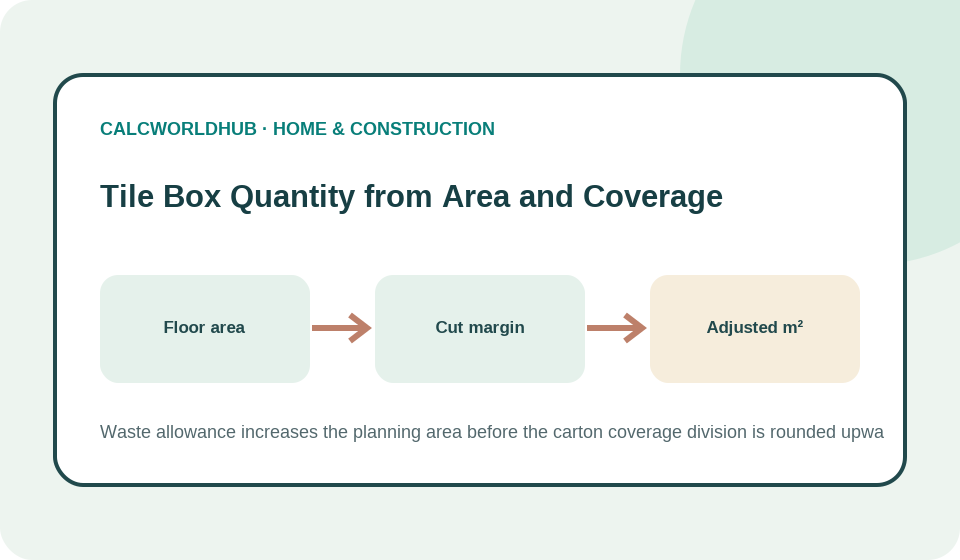
The calculator uses boxes = ceil(area × (1 + waste/100) ÷ coverage per box). A waste allowance of 12% means multiplying the measured area by 1.12; it is not an extra 12 boxes and it is not a change to the carton’s stated coverage. The allowance creates a planning margin for cuts, breakage, and future matching pieces.
Choose the allowance for the project rather than treating one percentage as universal. A simple square room laid in a straight pattern may need less cutting than a diagonal layout, a small-format mosaic, a room with many edges, or tile with noticeable shade variation. Follow the installer’s or supplier’s guidance for the product and pattern.
Why cartons are rounded up
Tile is purchased in complete packages, so any positive fraction of a carton becomes one additional box. The calculator applies the allowance to the area first, divides by coverage, then rounds upward with a ceiling operation. It accepts a zero area and nonnegative waste, but box coverage must be greater than zero; the source inputs must also be finite numbers.
Rounding up is a package-count rule, not a guarantee that every tile will fit. A carton can have a printed coverage rounded by the manufacturer, and actual layouts depend on grout width, wall straightness, tile calibration, and cuts. Keep the product label and the selected pattern with the estimate so another person can see which assumptions produced the count.
Plan for matching and future repairs
Before ordering, compare the estimate with the room plan and confirm the tile’s lot, shade, caliber, and package coverage with the seller. A later replacement box may come from a different production lot and look slightly different. Keeping spare tile can be useful, but the calculator does not choose a reserve quantity or account for storage constraints.
Where an installer provides a takeoff, reconcile it with the calculator rather than stacking allowances blindly. If the installer already increased the measured area for cuts and breakage, entering another large waste percentage may count the same margin twice. Likewise, do not increase the area for a closet if it was already included in the measured floor area.
Turn the box count into a purchase check
Use the result as a starting quantity, then check the carton’s current coverage and the store’s package rules. Some products are sold by full boxes while others are sold by area or by piece; the tool assumes whole boxes. Confirm whether the quoted price is per carton, per square meter, or per tile before using the result to estimate cost.
Re-measure rooms with angled walls, stairs, niches, or several different tile patterns. Separate areas by product where the tile, size, or layout changes, then calculate each product on its own. This avoids treating unlike coverage rates as if they came from one interchangeable box.
Worked examples
Each estimate applies the entered allowance before rounding up to whole boxes.
Twenty-four square meters with a 12% allowance
Inputs: Floor area = 24 m²; coverage = 1.44 m² per box; waste allowance = 12%.
Calculation: Adjusted area = 24 × (1 + 12 ÷ 100) = 26.88 m²; boxes = ceil(26.88 ÷ 1.44) = ceil(18.6667…) = 19.
Nineteen complete boxes provide nominal coverage of 27.36 m². The extra nominal area is a consequence of buying whole cartons after applying the selected allowance.
A larger area with a 10% allowance
Inputs: Floor area = 37 m²; coverage = 1.2 m² per box; waste allowance = 10%.
Calculation: Adjusted area = 37 × 1.10 = 40.7 m²; boxes = ceil(40.7 ÷ 1.2) = ceil(33.9167…) = 34.
Thirty-four boxes have nominal coverage of 40.8 m². The final 0.1 m² above the adjusted area is from rounding to complete cartons, not an additional percentage.
