
Measure the layer, not just the footprint
For a driveway top-up, path, or utility pad, estimate the area that will receive aggregate and choose a finished layer depth. The calculator accepts area in square feet and depth in inches. Convert mixed measurements first; multiplying a square-foot area by a depth recorded in feet while treating it as inches would scale the requested volume incorrectly.
The extra allowance is applied to the calculated volume, so it can represent an order margin for uneven ground or handling. It is separate from the depth itself: do not increase depth to include the same extra material and then also add an allowance unless that is intentional. The estimate assumes the entered layer is a uniform rectangular slab over the measured plan area.
Use a bulk density for the material being delivered
Density converts volume into mass. Gravel is not one fixed material: gradation, rock type, moisture, void space, and how it is handled affect the bulk density. Use the supplier’s current value for the specific product and enter pounds per cubic foot. The calculator’s default is only a starting value, not a certified property of every aggregate.
NIST publishes conversion factors for density units, which can help when a specification is given in kilograms per cubic metre. Keep mass units distinct from volume units: cubic yards describe space, while US tons describe weight by the estimator’s assumed 2,000 pounds per ton. Neither output accounts for a truck’s legal payload or a supplier’s minimum order.
Follow the volume and mass calculation in order
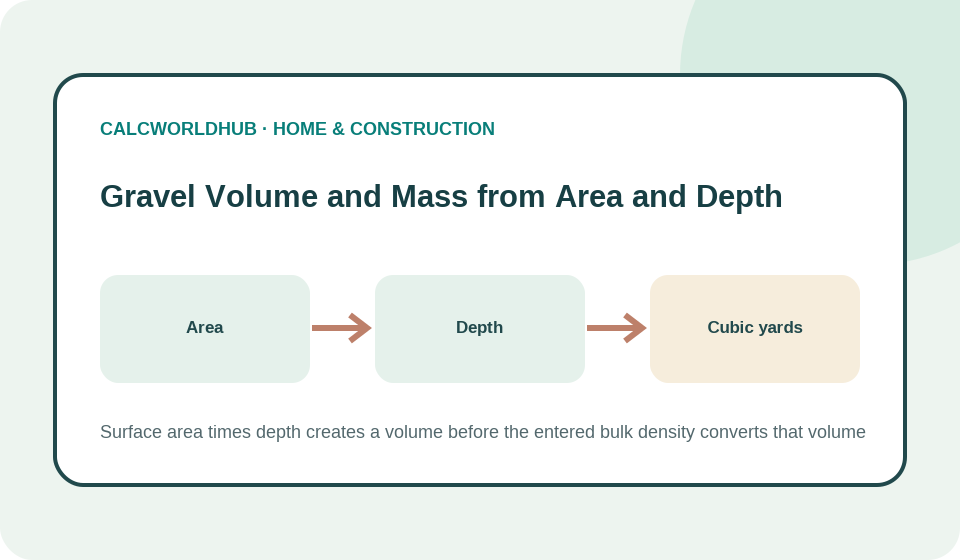
The base volume in cubic feet is area multiplied by depth after converting inches to feet. The entered allowance increases that volume by a factor of one plus the percentage divided by 100. Cubic yards are the adjusted cubic feet divided by 27, and estimated US tons are adjusted cubic feet multiplied by density and divided by 2,000.
Because the same adjusted volume feeds both secondary outputs, changing density changes the tonnage but not the cubic feet or cubic yards. Changing depth or allowance changes all three. Keep that distinction in mind when comparing supplier quotes: a price per ton and a price per yard cannot be compared without the relevant density and unit basis.
Interpret delivery quantity without false precision
The displayed values are rounded for readability, but ordering decisions should use the unrounded calculation and the supplier’s delivery unit. A result just above a truck increment may require a different delivery plan than a result just below it. Ask whether the quote is based on loose volume, certified weight, or an estimated loader bucket; those measurement bases are not interchangeable.
A loose layer may settle after placement, and an uneven subgrade changes the volume needed to reach a level surface. If the project has slopes, curved edges, multiple depths, or a compacted base, divide it into zones or use a method that represents those features. Do not treat the extra allowance as a geotechnical compaction factor; this calculator does not model compaction.
Confirm the product and delivery basis
Before ordering, remeasure the placement area, verify the intended depth, and request the product’s bulk-density basis from the supplier. A density measured at one moisture state can differ from a wet delivered load. The calculator makes the assumed density explicit so that a later comparison can replace it with a verified value rather than hiding the uncertainty in a tonnage result.
This is a quantity estimate, not a driveway design. It does not select aggregate gradation, evaluate drainage, predict compaction, design a retaining edge, or assess the soil beneath the layer. Follow project specifications and local drainage requirements; use an engineer or qualified contractor when traffic loads, slopes, or ground conditions call for design.
Worked examples
The examples apply the allowance to volume before using the entered bulk density.
A 4.5-inch layer with 8% allowance
Inputs: Area = 240 sq ft; depth = 4.5 in; density = 105 lb/cu ft; allowance = 8%.
Calculation: Volume = 240 × (4.5/12) × 1.08 = 97.2 cu ft = 3.60 cu yd. Mass = 97.2 × 10⁵ ÷ 2,000 = 5.103 US tons, displayed as 5.10 tons.
The order-volume estimate is 97.20 cubic feet, or 3.60 cubic yards, and the density-based mass estimate is 5.10 US tons. Confirm the density and delivery unit with the supplier.
A thinner area with a different density
Inputs: Area = 160 sq ft; depth = 3 in; density = 96 lb/cu ft; allowance = 10%.
Calculation: Volume = 160 × (3/12) × 1.10 = 44 cu ft = 44/27 ≈ 1.6296 cu yd. Mass = 44 × 96 ÷ 2,000 = 2.112 US tons, displayed as 2.11 tons.
The calculator displays 44.00 cubic feet, 1.63 cubic yards, and 2.11 US tons. The volume remains a geometry estimate; the mass depends directly on the 96 lb/cu ft density entered.
