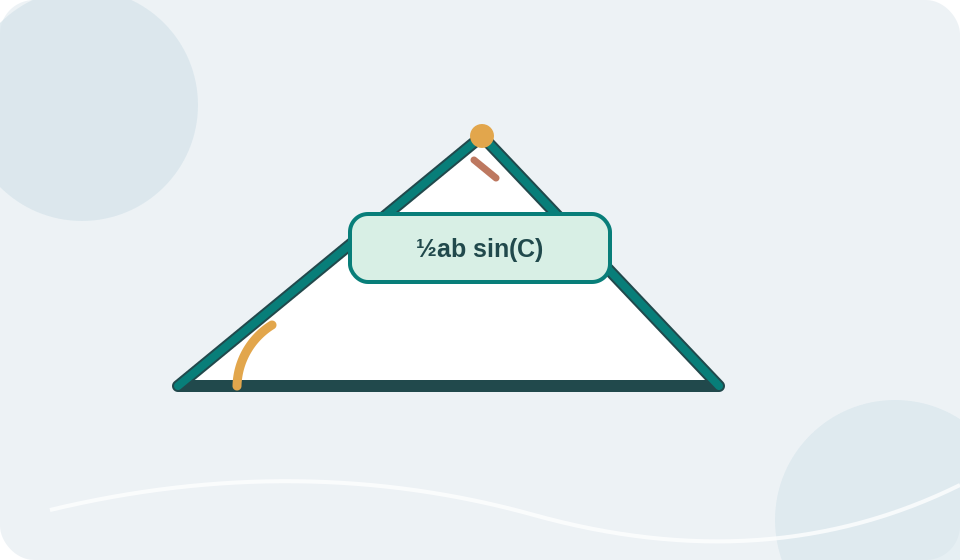

Match the angle to the two entered sides
The area relation is A = ½ab sin(C), where a and b are the known side lengths and C is the angle included between them. Use one unit for both sides and enter the angle in degrees. The result has the corresponding square unit; the included angle is dimensionless in the area calculation after conversion to radians.
The calculator also uses the cosine rule to find c = √(a² + b² − 2ab cos(C)), then reports the perimeter a + b + c. These extra outputs depend on the same two side inputs and included angle. They are useful checks, but they do not constitute a complete construction, drawing, or uncertainty analysis.
An angle opposite one of the known sides is not the included angle. For sides meeting at vertex C, the angle C lies between those sides and the opposite side is c. A wrong angle can produce a plausible area for a different triangle, so match the field description to the geometry before calculating.
Worked examples
Sides 7 and 10 with a 30° included angle
Inputs: a = 7 units; b = 10 units; C = 30°.
Calculation: A = ½ab sin(C) = 35 × 0.5 = 17.5 square units; c ≈ 5.268438; perimeter ≈ 22.268438 units.
The area is 17.5 square units; the calculator also returns c ≈ 5.2684 units and perimeter ≈ 22.2684 units.
Sides 8 and 5 with a 60° included angle
Inputs: a = 8 units; b = 5 units; C = 60°.
Calculation: A = ½ × 8 × 5 × sin(60°) = 10√3 ≈ 17.320508; c = √49 = 7 units; perimeter = 20 units.
The area is about 17.3205 square units, the third side is 7, and the perimeter is 20 units.

Worked examples with both outputs
For a = 7, b = 10, and C = 30°, sin(30°) is 0.5, so the area is ½ × 7 × 10 × 0.5 = 17.5 square units. The cosine rule gives c² = 49 + 100 − 140 cos(30°), or about 27.7564, so c is about 5.2684 units and the perimeter is about 22.2684 units.
For sides 8 and 5 with an included angle of 60°, the area is ½ × 8 × 5 × sin(60°) = 10√3, about 17.3205 square units. The third side is √(64 + 25 − 80 cos(60°)) = √49 = 7 units, and the perimeter is 20 units.
These two cases show why side lengths alone do not determine area unless they describe a complete triangle. Keeping both sides fixed while changing the included angle changes sin(C), and therefore changes the area. The third side changes as well, which is reflected in the cosine-rule output.
Use the result to compare a real shape
The SAS method is convenient when two adjacent sides and their angle are available from a design, field measurement, or specification. Compared with Heron’s formula, it replaces a third side with the included angle. Compared with A = bh/2, it does not require a separately measured perpendicular height.
The calculated third side provides a useful closure check. Compare it with a separately measured or specified opposite side if one exists. A mismatch may come from rounding, an incorrect angle, inconsistent units, or sides measured from different points. Do not silently adjust an input to force agreement; trace the source values first.
For fixed a and b, area is largest at 90°, where sin(C) = 1, and falls toward zero as C approaches 0° or 180°. Those endpoint angles collapse the triangle, so the runtime requires a strictly intermediate angle and a non-degenerate third side.
Avoid degree and side-pair errors
The calculator accepts degrees and converts them before evaluating sine and cosine. A manual check in a language or spreadsheet may require an explicit degree-to-radian conversion; sin(30 radians) is not sin(30°).
The side labels a and b can be interchanged without changing area, but the included angle must remain the angle between those two particular sides. If a diagram labels the opposite angle instead, find the correct pair or use another method. Units must match before using either the area or cosine-rule expression.
Keep the angle’s source precision. Rounding it early can change area and the derived side, especially for large dimensions. Report outputs at a precision justified by the measurements.
Model limits and a practical check
The model assumes straight sides in a Euclidean plane. It does not handle curved edges, large-surface curvature, or projected dimensions that do not describe one plane. Correct a photograph or map scale before treating its measurements as lengths.
The inputs must be positive side lengths and an included angle strictly between 0° and 180°. Extremely small sides or angles can be sensitive to precision even when finite. The runtime also imposes numeric input bounds; a result outside its supported range should prompt a scale and unit check rather than an assumption that the geometry is invalid.
For a manual audit, calculate the sine-based area and the cosine-rule third side separately. Confirm that c is positive, the perimeter equals a + b + c, and the triangle inequality holds. This checks internal consistency of the entered model; it does not confirm that the measured sides and angle match the physical object.