How to use this calculator
Tighten bilateral specification limits by a chosen uncertainty-based guard band and classify one measurement result.
- Enter Lower specification limit, Upper specification limit, Measured result, Expanded measurement uncertainty U, then complete the remaining labeled fields. Match the units shown beside each field and review the result together with the assumptions below.
- Read the worked example below to check the expected input format and result.
- Compare another scenario by changing one input at a time. Use Reset to return to the starting values.
How this calculation works
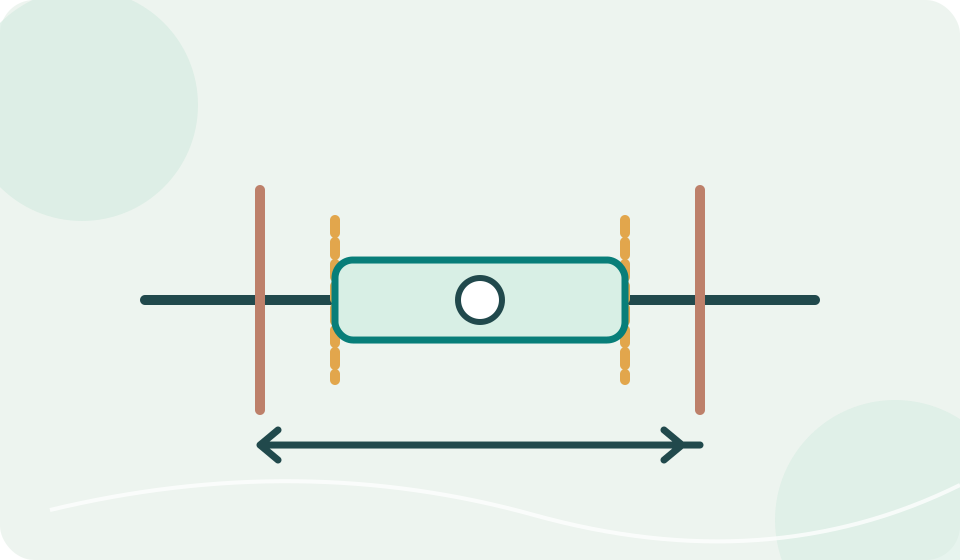
A guard band creates an acceptance interval inside the specification interval. This calculator applies the same selected band on both sides, then distinguishes a guarded pass, a value in the guard band, and a value outside specification.
Inputs and units
lsl— Lower specification limit- Lower boundary of the allowed measurement interval; use the same unit for every value.
usl— Upper specification limit- Upper boundary of the allowed measurement interval.
measured— Measured result- Result to classify under the entered guarded rule.
uncertainty— Expanded measurement uncertainty U- Nonnegative expanded uncertainty in the same unit as the specification limits.
multiplier— Guard-band multiplier k- Nonnegative multiplier defining the per-side guard band g = kU.
Formula
g = kU; lower acceptance limit = LSL + g; upper acceptance limit = USL − g.
Method
Choose the band as a multiple k of the entered expanded measurement uncertainty U. A result inside the tightened interval passes this selected guarded rule; a result between an acceptance limit and a specification limit is not demonstrated conforming under that rule.
Worked example
With limits 10 and 20, measured result 17, expanded uncertainty 0.4, and k = 1.5, the guard band is 0.6 per side. The acceptance interval is 10.6 to 19.4, so the result passes this guarded rule.
Assumptions and limits
The same guard band is applied symmetrically to both limits. The selected multiplier and uncertainty model are user choices; a guard band does not by itself establish a universal false-acceptance probability or replace an agreed laboratory decision rule.
Frequently asked questions
Does the guard band equal the uncertainty?
It does when k = 1. This calculator lets you choose another multiplier as part of the agreed rule.
What does a result in the guard-band region mean?
It is inside the specification but outside the guarded acceptance interval, so conformity is not demonstrated by this rule.
Does a wider guard band guarantee a particular risk?
No. Risk depends on the measurement distribution, uncertainty model, and agreed decision rule.
How do I use the Guardbanded Acceptance Limits and Decision Calculator?
Enter Lower specification limit, Upper specification limit, Measured result, Expanded measurement uncertainty U, then complete the remaining labeled fields. Match the units shown beside each field and review the result together with the assumptions below.
What is a worked example of Guardbanded Acceptance Limits and Decision?
With limits 10 and 20, measured result 17, expanded uncertainty 0.4, and k = 1.5, the guard band is 0.6 per side. The acceptance interval is 10.6 to 19.4, so the result passes this guarded rule.
Reference: ILAC G8:09/2019 guidance on decision rules and statements of conformity. See our calculation methodology.