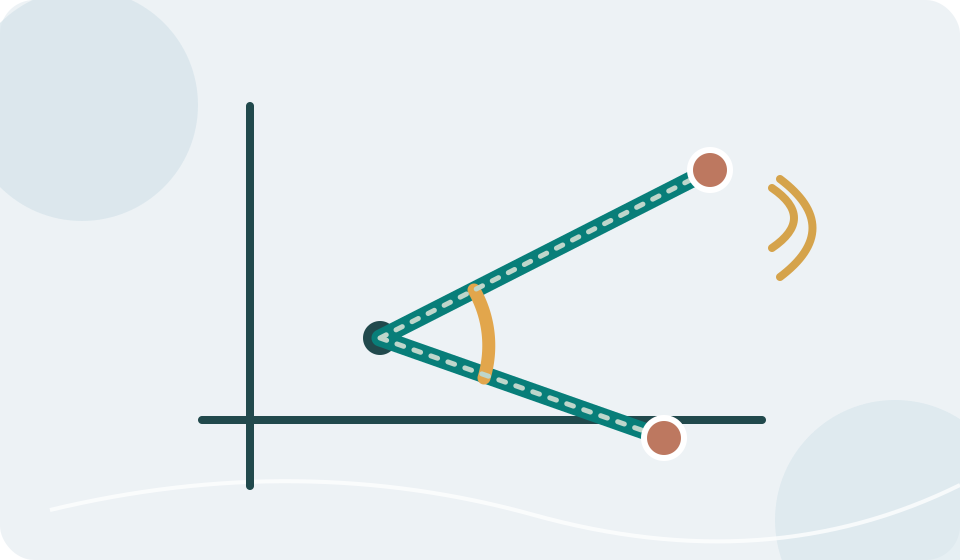

Start with two directed, nonzero vectors
The form accepts uₓ, uᵧ, u_z and vₓ, vᵧ, v_z. Pair coordinates in the same order and use one Cartesian frame. The angle is the smaller included angle when the vectors are placed with a common tail, so the value is between 0° and 180°. Opposite directions give 180°, identical directions give 0°, and perpendicular directions give 90°.
Both vectors must have nonzero magnitude. A zero vector has no direction, so there is no angle to calculate; the runtime displays “Angle undefined” and asks for two nonzero vectors. Negative components are valid. For physical data, components need compatible units and a shared basis, although common scaling cancels from the normalized cosine when it is applied consistently to one vector.
Normalize the dot product before using arccos
Compute d=u·v=uₓvₓ+uᵧvᵧ+u_zv_z, then compute each Euclidean magnitude. Divide d by |u||v| to get cosθ, and take θ=arccos(cosθ). The division is essential: applying arccos directly to the dot product only works by accident for specially scaled unit vectors. The cosine is dimensionless even when the vectors carry compatible physical units.
Floating-point rounding can put the computed ratio slightly outside [−1,1], although the exact mathematical cosine cannot be outside that interval. The calculator clamps the ratio to that range before applying arccos. This prevents a tiny numerical overshoot from producing an invalid result. It does not repair mismatched inputs, a zero vector, or a materially incorrect component value.
Worked examples
Example 1 · coordinate axes
Inputs: u=(1,0,0), v=(0,1,0).
Calculation: u·v=0; |u|=|v|=1; θ=arccos(0)=90°=π/2 radians.
Angle=90.00000°; dot product=0.00000; radians≈1.57080.
Example 2 · normalized cosine of one half
Inputs: u=(1,1,0), v=(1,0,1).
Calculation: u·v=1; |u|=|v|=√2; cosθ=1/2; θ=60°=π/3 radians.
Angle=60.00000°; dot product=1.00000; radians≈1.04720.

Convert the result and interpret its rounding
Degrees and radians describe the same angle: radians equal degrees·π/180. The calculator returns both forms and rounds each to five decimal places, so compare them at that precision. Near 0° or 180°, small input changes can affect the final displayed digits.
The degree and radian outputs describe the same angle: radians equal degrees·π/180. The calculator rounds each to five decimals; compare the values at that precision. Near 0° or 180°, small input changes can affect the final displayed digits.
Compare two vectors with a nontrivial angle
For vectors of length √2 with dot product 1, cosθ=1/(√2·√2)=1/2 and θ=60°. Normalizing removes the effect of vector length and leaves their relative orientation. This is why the raw dot product alone is not an angle.
Multiplying either vector by a positive scalar changes its magnitude and dot product but not its angle. Multiplying one vector by a negative scalar reverses its direction, so the included angle becomes its supplement: θ changes to 180°−θ for a non-right angle. This can help diagnose an unexpected acute-versus-obtuse result when the source data uses a reversed axis convention.
Use sign and cross product as independent checks
For nonzero vectors, a positive dot product corresponds to an acute angle, zero to a right angle, and a negative dot product to an obtuse angle. The cross-product magnitude provides a second relationship: |u×v|=|u||v|sinθ. Together these can verify the angle quadrant and the sine/cosine proportions. The cross product alone does not distinguish θ from 180°−θ because sine has the same value for those supplementary angles.
A common mistake is to interpret a zero dot product as a 90° angle without checking that both inputs are nonzero. Another is to compare raw dot products from vectors with different magnitudes; the larger product may simply reflect longer vectors. Normalize before comparing angles. For parallel or antiparallel vectors, floating-point noise can affect the last digits, so use the geometric relationship and input precision rather than over-reading a tiny residual.
Keep units and applications in scope
The angle itself is dimensionless and may be expressed in degrees or radians. The input components still need compatible axes and units so that the dot product and magnitudes describe the same geometry. A vector written in one rotated coordinate frame should be transformed before comparison with a vector from another. The calculator does not convert coordinate systems, infer axis orientation, or determine whether the selected vectors represent force, velocity, or another quantity.
The result is a geometric angle, not a bearing, heading, signed rotation, or oriented dihedral angle. It does not specify clockwise versus counterclockwise rotation around an axis. If a signed orientation is required in 3D, define a reference normal and use a method designed for that convention. The smaller included angle is useful for comparison, alignment, and component analysis, but its meaning depends on how the two vectors were defined.