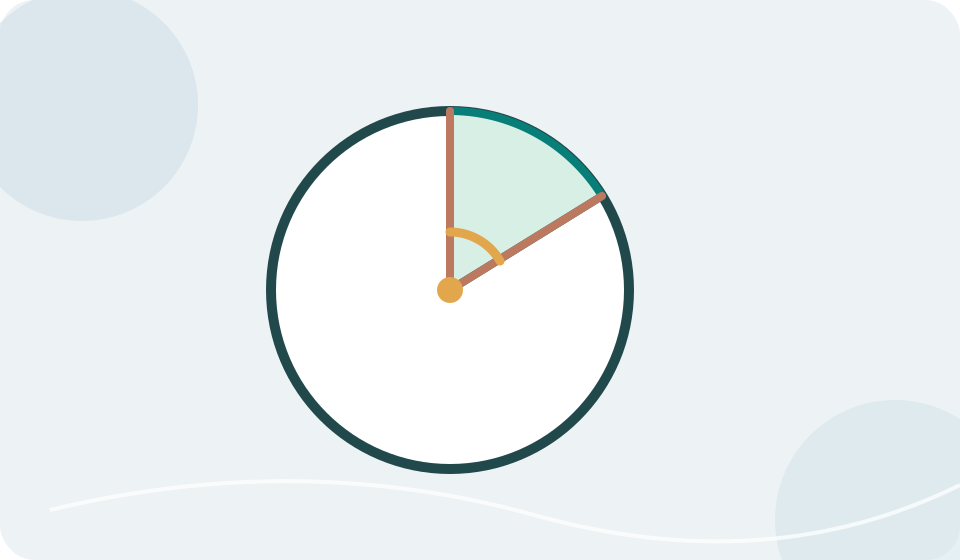

Define the sector before measuring it
A sector is the region bounded by two radii and the arc between them. Its central angle determines what fraction of a full turn is included. The calculator uses an angle in degrees, so 90° means one quarter of a circle and 180° means a semicircle. Radius and angle must describe the same center and the intended wedge.
The input radius is a length, while the output is area in square units. If a drawing gives a diameter, divide it by two before entering the radius. Use one consistent length unit: a radius entered in millimetres gives square millimetres, not square metres. Convert the final area separately if another unit is required.
Formula from a fraction of the full circle
The full circle area is πr². A sector angle θ degrees is θ/360 of one complete 360° turn, so sector area is A = (θ/360)πr². In radians the same relationship is A = r²θ/2, but the calculator field is explicitly degrees. Do not put a degree value directly into the radian version of the equation.
This fractional form provides an easy check: the sector area must be between zero and the full-circle area for the accepted angle range. At θ = 360°, the sector is the whole circle and A = πr². As θ doubles at a fixed radius, the area doubles. As radius doubles with the same angle, the area becomes four times as large because radius is squared.
Use the area for the intended region
Sector area is appropriate for estimating a pie-shaped cutout, a wedge of a circular floor, or a portion of a disk defined by two centerlines. It does not include a separate border allowance, material thickness, kerf, or installation loss. Add those quantities with the method suited to the project rather than folding them into the geometric area.
A sector is not the same as a circular segment. A sector includes the two radii; a segment is bounded by the chord and the arc and excludes the central triangle. If the task asks for only the shallow cap beyond a straight chord, use a segment calculation instead. If it asks for the curved edge length, use arc length rather than area.
Enter valid inputs and interpret limits
The source runtime requires a positive radius and an angle greater than 0° and no greater than 360°. A zero angle or zero radius is rejected, even though a limiting mathematical area would be zero. Angles above 360° are not accepted because this tool describes one sector of a circle, not a path that winds through multiple revolutions.
The result is a geometric area based on ideal measurements. A small error in radius can have a larger effect on area than the same percentage error in angle: for a fixed angle, area changes with r². If the radius is measured from an irregular edge or the wedge is not centered at the stated point, the calculated value describes the input model rather than the physical boundary.
Check the fraction and the units
To verify a result, first find πr², then multiply by θ/360. The fraction should equal the part of the turn shown in the drawing. For 72°, the fraction is 0.2; for 135°, it is 0.375. This check helps catch a degree-to-radian mix-up and confirms the output scales in the expected way.
Keep intermediate values unrounded when possible, especially πr² and the angle fraction. Round the final area according to the precision of the radius and angle measurements. If the area seems implausibly large, check whether diameter was entered as radius; that makes the calculated area four times larger than intended. If it is too small, verify the angle and whether the desired region is actually the major sector.

Worked examples
A 72-degree wedge in a 5-unit circle
Inputs: r = 5 length units; θ = 72°.
Calculation: A = (72/360)π(5²) = 5π = 15.70796327 square units.
The sector covers about 15.70796 square units, exactly one fifth of the full circle area.
A 135-degree sector with an 8-unit radius
Inputs: r = 8 length units; θ = 135°.
Calculation: A = (135/360)π(8²) = 24π = 75.39822369 square units.
The sector area is about 75.39822 square units, or 37.5% of the full disk.